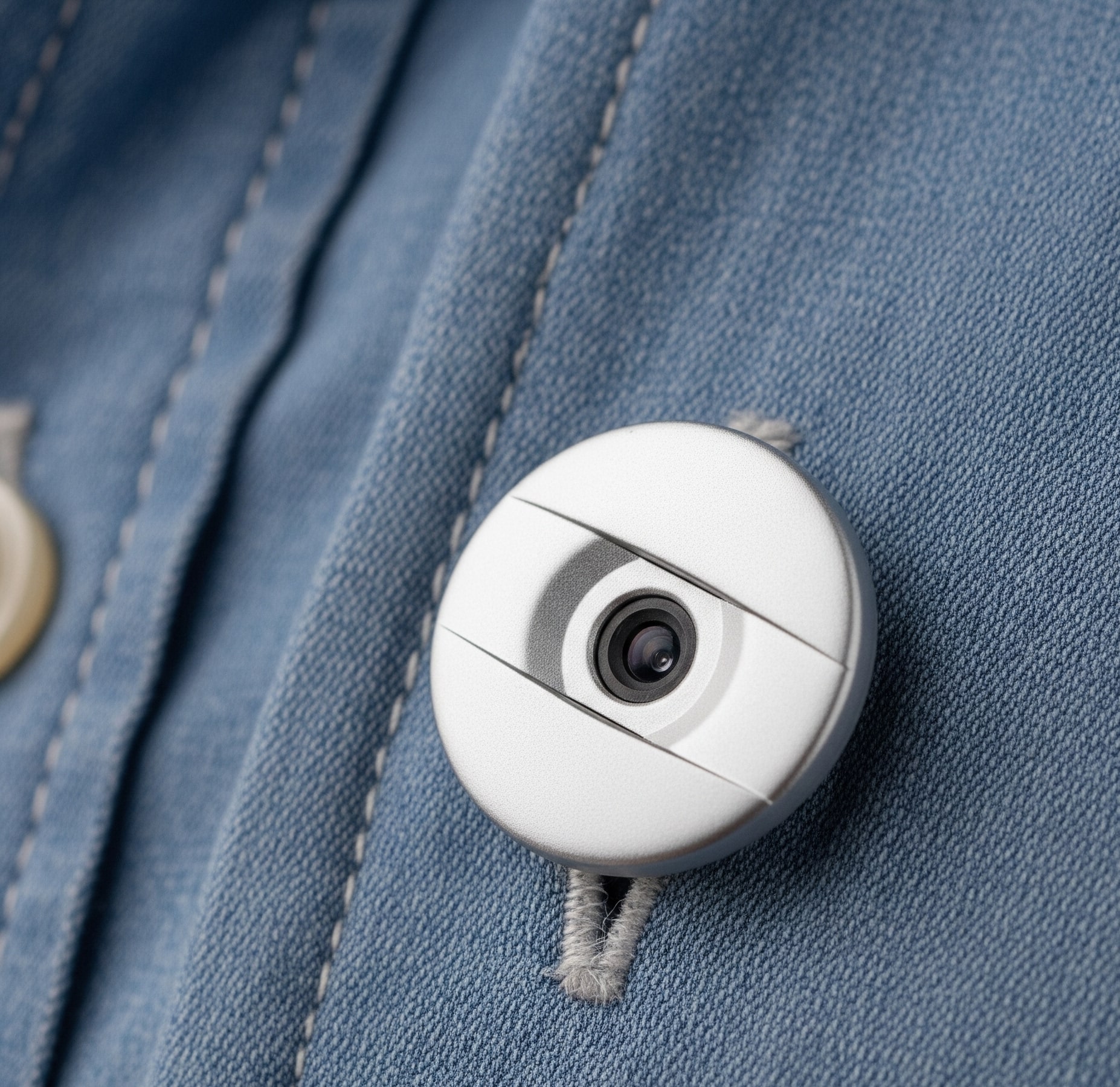
An early discreet camera device and evidence system for moments when someone feels unsafe.
What we’re doing
Peoples Defence is built around a simple principle: safety technology should
start when the person chooses — not before.
We are testing how a discreet device and simple evidence records can help people in situations that are unclear, fast-moving, or difficult to prove afterwards.
Stage note: This is still early. We are testing in careful, limited ways, learning from feedback, and improving the product before a wider launch.
Production design target. Early versions may change as we test, but this shows the direction for the final device.
The wearable device
The wearable is the physical safety device: a discreet camera a person can activate when they feel unsafe.
Version 1 starts simple
Press the wearable button to start a record.
Capture what is happening from the person’s point of view.
Send an alert to chosen contacts, where the user has set that up.
Create a clearer record that can be reviewed afterwards.
What we are testing right now
Can someone use it quickly under pressure?
Does carrying it make people feel safer?
Do the records it creates feel useful, clear, and trustworthy?
We are not building an always-on surveillance product. The focus is control, restraint, and trust.
The gap
Safety often fails not because there are no cameras, but because people cannot easily show what happened in the moment.
Peoples Defence is designed to explore that missing layer:
a person-controlled way to record, preserve, and share important evidence when a situation starts to escalate.
In future versions, this could also include alerts to trusted contacts or authorities, depending on what the user chooses.
The software layer
The software is called the Peoples Defence Evidence Layer. It is the part of the system that receives a trigger, starts the record, sends alerts, and helps organise what happened afterwards.
On the wearable, the software can stay simple: press the device, capture footage, alert chosen contacts, and keep a clearer record.
The earliest software tests may also start from a phone before the full wearable system is ready. This could be through a PWA, which means a Progressive Web App: a website that can be opened on a phone and saved to the home screen so it feels like a simple app, without needing an app store launch first.
When the Evidence Layer is used on its own by a site or organisation, it can have extra functions. For example, it could receive a trigger from a phone or PWA, look for nearby connected cameras, preserve relevant footage, alert the right people, and help staff understand what happened faster.
Stage note: This software is still early. The phone/PWA route is a practical way to test the alert and evidence workflow first. We are looking for pilots, feedback, and careful real-world testing before making wider claims.
Two simple ways this can work
Wearable Mode
For individuals. The wearable is a standalone way to trigger an alert and capture evidence from the person’s point of view.
Version 1 starts with the button. Later versions could explore more discreet triggers, but only after validation.
Site Mode
For places with cameras, such as businesses, universities, venues, workplaces, housing providers, and industrial sites.
In this mode, the Evidence Layer could help find nearby connected cameras, collect relevant footage, alert the right people, and support privacy tools such as face blurring or redaction.
How an alert can start
The wearable button is the simplest first version. Because the software is still early, we can also test phone-first triggers before every hardware feature is ready.
Wearable button: press the device when something feels wrong.
PWA phone trigger: use a Progressive Web App — a phone-friendly website that can be saved to the home screen like a simple app — to start an alert.
Lock-screen shortcut: a discreet phone shortcut for later testing, so the person does not need to open a full app under pressure.
Volume-button shortcut: a future discreet phone action, such as pressing or holding a volume button pattern to start an alert.
Safety Timer: set a timer for a journey, shift, meeting, or risky moment. If the person does not turn it off or check in before it expires, an alert is sent.
Wake word or smartwatch check-in: later ideas that need careful validation before being claimed as product features.
We are looking for early pilots and honest feedback.
We want to speak with investors, mentors, organisations, venues, universities, workplaces, housing providers, industrial sites, and people with lived experience of safety concerns.
The question is simple: could this help people act faster, create clearer records, and feel safer?
The wearable and the Evidence Layer are two early parts of one wider safety system. The goal is not to make everything complicated, but to help people create trusted records when something unsafe happens.
For now, we are staying focused on careful validation, phone-first software tests, simple wearable trials, and learning from real feedback.
Our long-term vision is to grow into a broader safety system that connects people, devices, software, and real-world support — while staying grounded in user choice and trust.
Founder
Peoples Defence is founder-led and shaped by lived experience, with an engineering background behind the early design and testing.
If you’re an investor, mentor, partner, or someone interested in early safety technology, you can reach out below.
Not live on Kickstarter yet
We're building this before we launch publicly, and we're honest that we need help getting there. See exactly where things stand, and how to support the work between now and launch.